Deprecated: Return type of SkyVerge\WooCommerce\PluginFramework\v5_5_0\SV_WC_DateTime::getTimestamp() should either be compatible with DateTime::getTimestamp(): int, or the #[\ReturnTypeWillChange] attribute should be used to temporarily suppress the notice in /home/softwaremax/wp.software-max.com/wp-content/plugins/woocommerce-order-status-control/vendor/skyverge/wc-plugin-framework/woocommerce/compatibility/class-sv-wc-datetime.php on line 85

Warning: Cannot modify header information - headers already sent by (output started at /home/softwaremax/wp.software-max.com/wp-content/plugins/woocommerce-order-status-control/vendor/skyverge/wc-plugin-framework/woocommerce/compatibility/class-sv-wc-datetime.php:40) in /home/softwaremax/wp.software-max.com/wp-includes/feed-rss2.php on line 8
Windows 10 Archives - US Global Tech Software Reseller Mon, 14 Oct 2024 17:30:57 +0000 en-US hourly 1 https://wordpress.org/?v=6.6.5 Microsoft Windows 10 Professional https://wp.software-max.com/product/microsoft-windows-10-pro/ https://wp.software-max.com/product/microsoft-windows-10-pro/#comments Wed, 10 May 2023 12:50:14 +0000 https://usglobaltech.com/?post_type=product&p=212349

Microsoft Windows 10 Professional, 32/64 bit License

Upgrade to Windows 10 Pro - The Best Operating System Yet

Discover fast and fluid ways to switch between apps, move things around, and go smoothly from one place to another

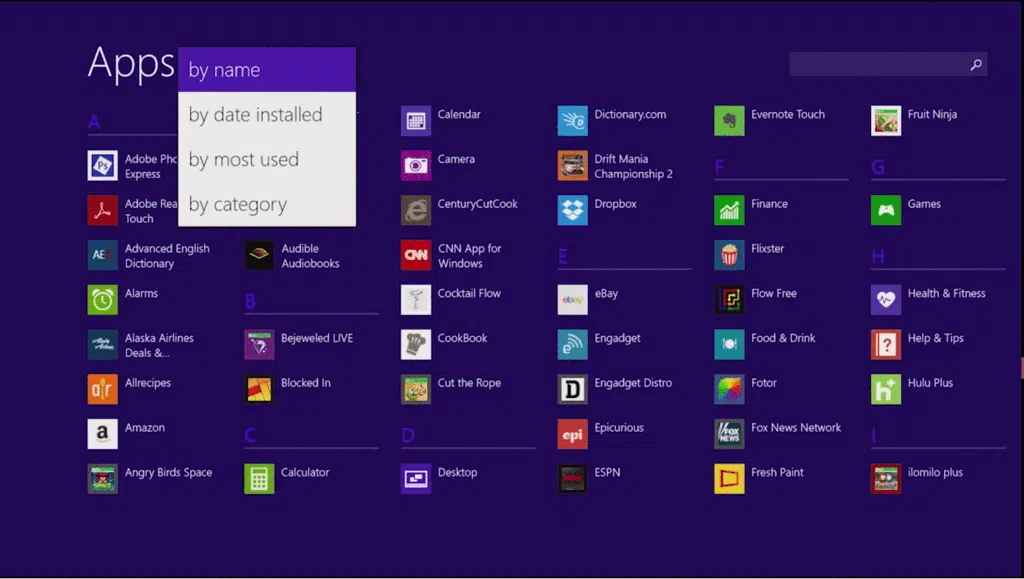
New Start screen​

With the new Windows, you can watch movies or play games, chat with friends, get work done with Office, access files anywhere or find your next favourite app in the Windows Store And you can get to it all, including your familiar desktop, from the new Start screen. From the Start screen, you’re just a click away from the familiar Windows desktop you know, so you can do the same stuff you’ve always done.

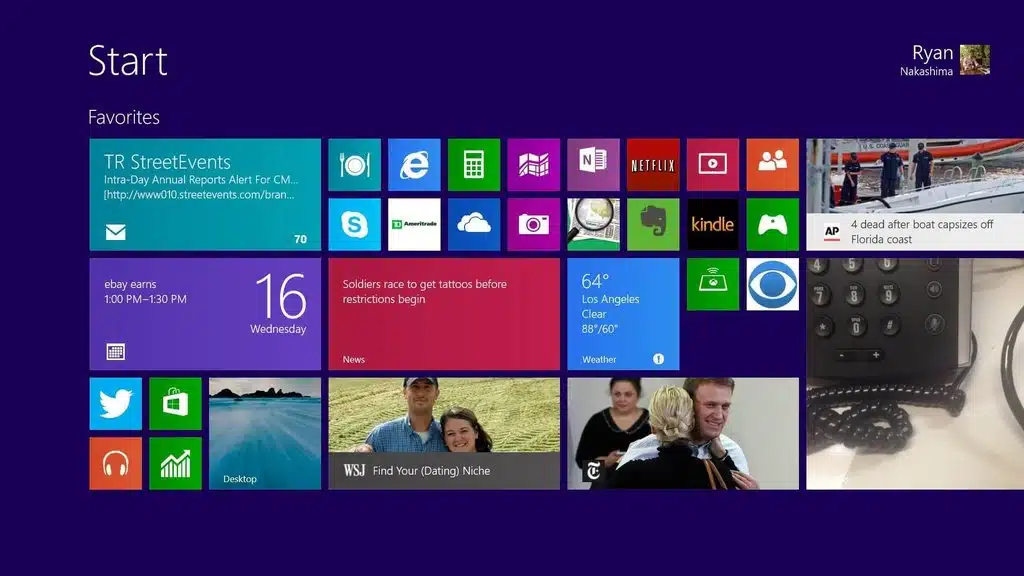
Your own unique start screen

Personalize your Start screen with your favourite news, friends, social networks and apps

Your favorite news

Your favorite friends

Your favorite social networks

Your favorite apps

The apps you want

Now you can organize up to three apps on your screen at once in a single view

Thousands of popular apps

In addition to great built-in apps for email, people, photos and video editing, you can also download thousands of popular apps from the Windows Store
]]>
https://wp.software-max.com/product/microsoft-windows-10-pro/feed/ 1 212349
Microsoft Windows 10 Home Edition https://wp.software-max.com/product/microsoft-windows-10-home/ https://wp.software-max.com/product/microsoft-windows-10-home/#respond Wed, 10 May 2023 10:47:15 +0000 https://usglobaltech.com/?post_type=product&p=212336

Microsoft Windows 10 Home License 32/64 Bit

Microsoft Windows 10 Home is a powerful and user-friendly operating system designed for home computer users. With its modern design, improved security features, and intuitive interface, Windows 10 Home provides a seamless experience for everyday tasks such as web browsing, email, and multimedia consumption.

Windows: in sync with the way you live

Windows 10 is an evolution of the Windows 8.1 vision for a world where great devices are paired with a powerful collection of essential apps and cloud-based services.

User-Friendly Interface

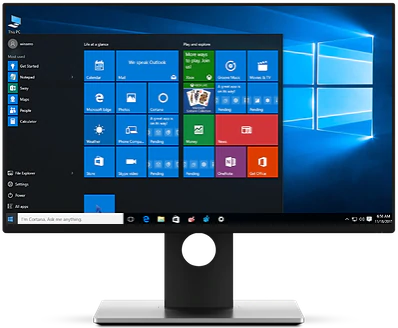
The interface of Windows 10 Home is intuitive and user-friendly, making it easy for home users to navigate and find what they need. The Start menu has been updated with live tiles to provide quick access to frequently used applications and information. Additionally, Cortana, Microsoft’s digital personal assistant, makes it easy to search the web, find files, and perform other tasks without leaving the desktop.

Improved Security Features

Windows 10 Home includes features such as Windows Hello, which provides biometric authentication, and Windows Defender, which provides real-time protection against malware. These features help ensure the security and privacy of your data, giving you peace of mind while using your home computer.

Apps and Multimedia Content

By using Microsoft Windows 10 Home, home users can enjoy a user-friendly interface, improved security features, and a wide range of apps and multimedia content. These advantages make Windows 10 Home the perfect operating system for anyone looking for a powerful and easy-to-use platform for their daily tasks.

Start menu

The familiar Start menu has been updated with live tiles to provide quick access to frequently used applications and information.

Cortana

Microsoft’s digital personal assistant makes it easy to search the web, find files, and perform other tasks without leaving the desktop.

Edge browser

Edge is a fast and secure web browser that offers improved performance, reading mode, and Cortana integration.

Improved security

Windows 10 Home includes features such as Windows Hello, which provides biometric authentication, and Windows Defender, which provides real-time protection against malware.

Microsoft Store

The Microsoft Store provides access to a wide range of apps, games, and multimedia content, making it easy to find what you’re looking for.

Xbox integration

Windows 10 Home also offers seamless integration with Xbox, allowing you to stream games from your Xbox console to your PC.
]]>
https://wp.software-max.com/product/microsoft-windows-10-home/feed/ 0 212336